List all Social Shares of Your Website Using Google Analytics
July 8, 2014
There are many services out there that show you how many tweets you’ve received. Or how many Facebook likes, Google +1’s, etc. But it’s been more difficult to see all shares of your site across all networks.
Turns out, Google Analytics actually has this built in; you just have to hunt for it.
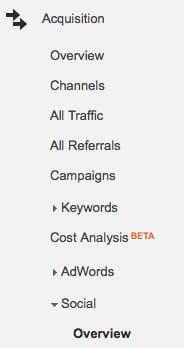
Clicking "Overview" in the Social menu gives you a detailed breakdown of how much traffic the various social networks brought you for the selected time period.
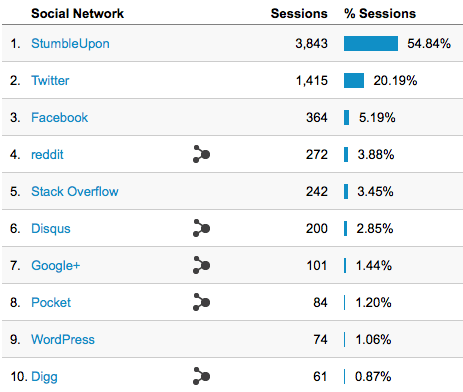
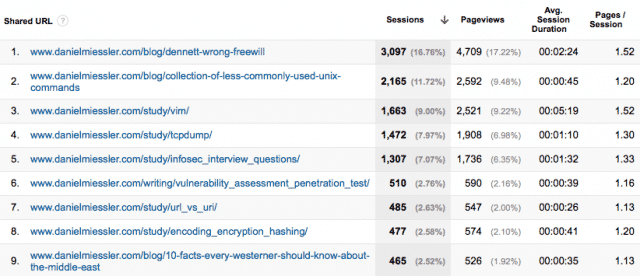
And when you click on the networks it shows you the content that was shared.
Neat.
If you know any other Google Analytics tricks, let me know below.