How to Download the Data Facebook Has on You
March 12, 2018
People are becoming increasingly worried about the data that Facebook and other social media sites have on them.
Luckily, the platforms make it fairly easy to download that data to see for yourself.
For Facebook, here’s the process.
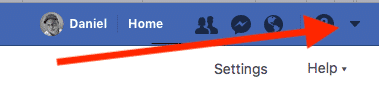
1. Go to any Facebook page and hit the down arrow in the corner.
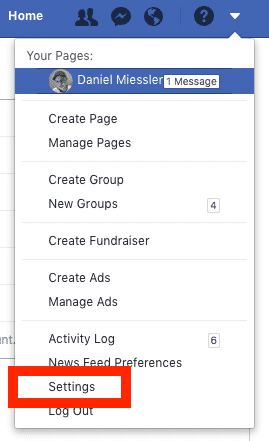
2. Click on Settings
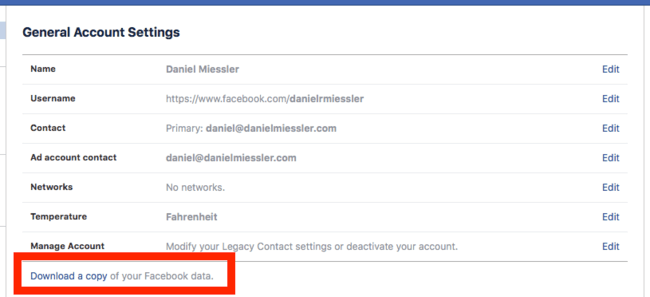
3. Click "Download a Copy of Your Facebook Data"
You’ll now have a copy of the information they have on you, which is usually somewhere between fascinating and frightening.
Enjoy!
Notes
- Here’s Facebook’s page on this process.